Quotes
Quotes are created and managed by Heatso Sales Managers. Clients currently cannot create quotes directly from their B2B account.
If you need a quote for specific products, pricing, or order conditions, please contact your assigned Sales Manager or email sales@heatso.com.
How Quotes Work
Once a Sales Manager creates a quote for your company, you will receive an email notification with the quote details.
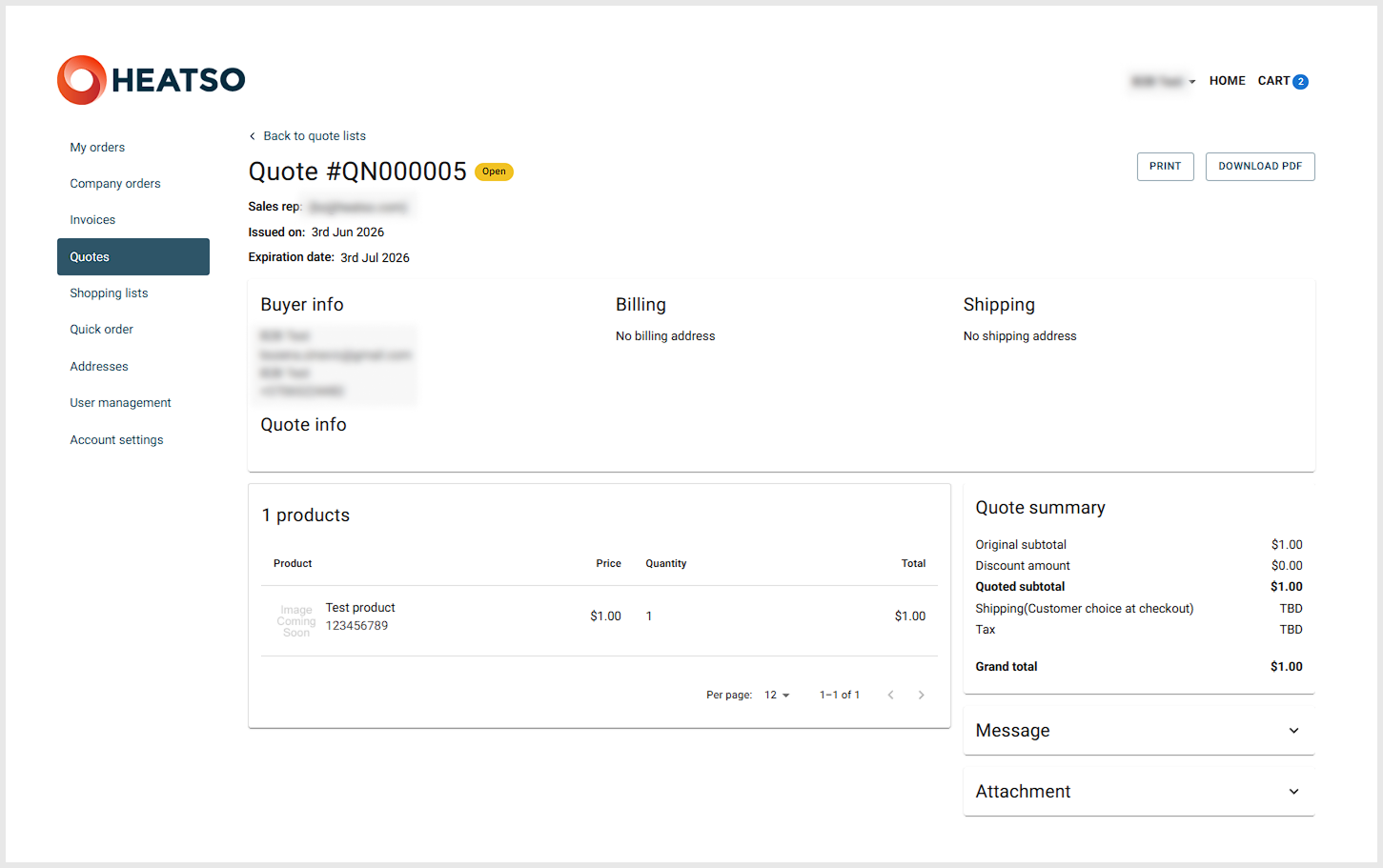
You can also view the quote in your B2B account:
- Log in to your B2B account.
- Go to Quotes from the account menu.
- Select the relevant quote to view its details.
The quote may include product information, pricing, discounts, shipping details, tax and expiration date.
Placing an Order from a Quote
You can proceed to checkout from the quote in two ways:
- Click the checkout link or button in the quote email.
- Open the quote in your B2B account and continue to checkout from there.
At checkout, you will be able to review the order details, select available shipping and payment options, and complete the order.
Requesting Changes or Leaving Comments
If you need to ask a question, request a change, or comment on a specific quote, you can:
- Contact your assigned Sales Manager by phone or email.
- Reply directly to the quote email.
- Open the quote in your B2B account and leave a message in the quote conversation.
Your Sales Manager will review your message and assist with any required updates.
Need Assistance?
If you need a new quote or have questions about an existing quote, please contact your assigned Sales Manager or email sales@heatso.com.
Was this article helpful?
That’s Great!
Thank you for your feedback
Sorry! We couldn't be helpful
Thank you for your feedback
Feedback sent
We appreciate your effort and will try to fix the article