Net Payment Terms
Some approved B2B customers may be eligible for Net Payment Terms. This allows you to place an order without making a payment at checkout. Payment is made later according to your approved payment terms.
How Net Payment Terms Work
If your company has been approved for Net Payment Terms:
- Log in to your B2B account.
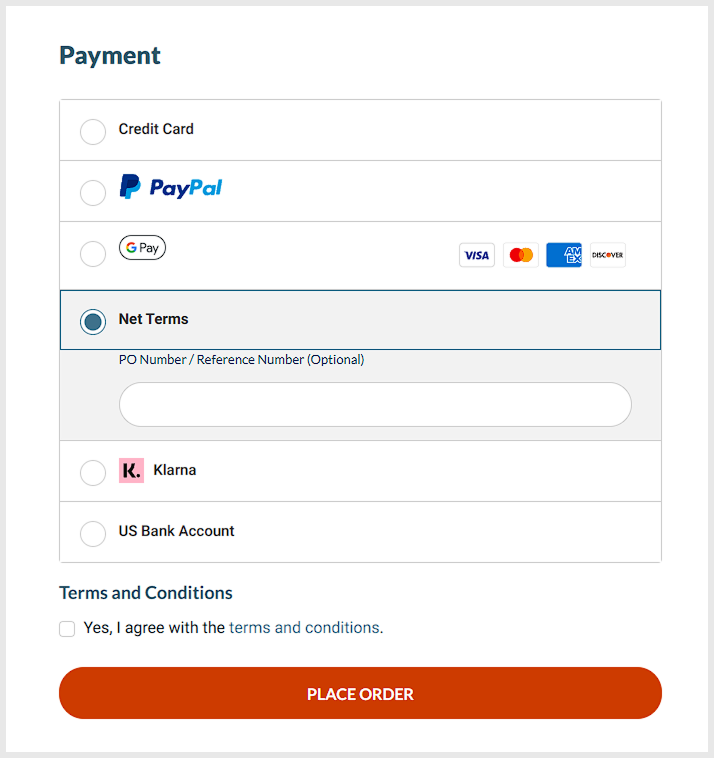
- Add products to your cart and proceed to checkout.
- Select your approved Net Payment option.
- Place your order.
Your order will be processed without immediate payment.
How to Pay Your Invoice
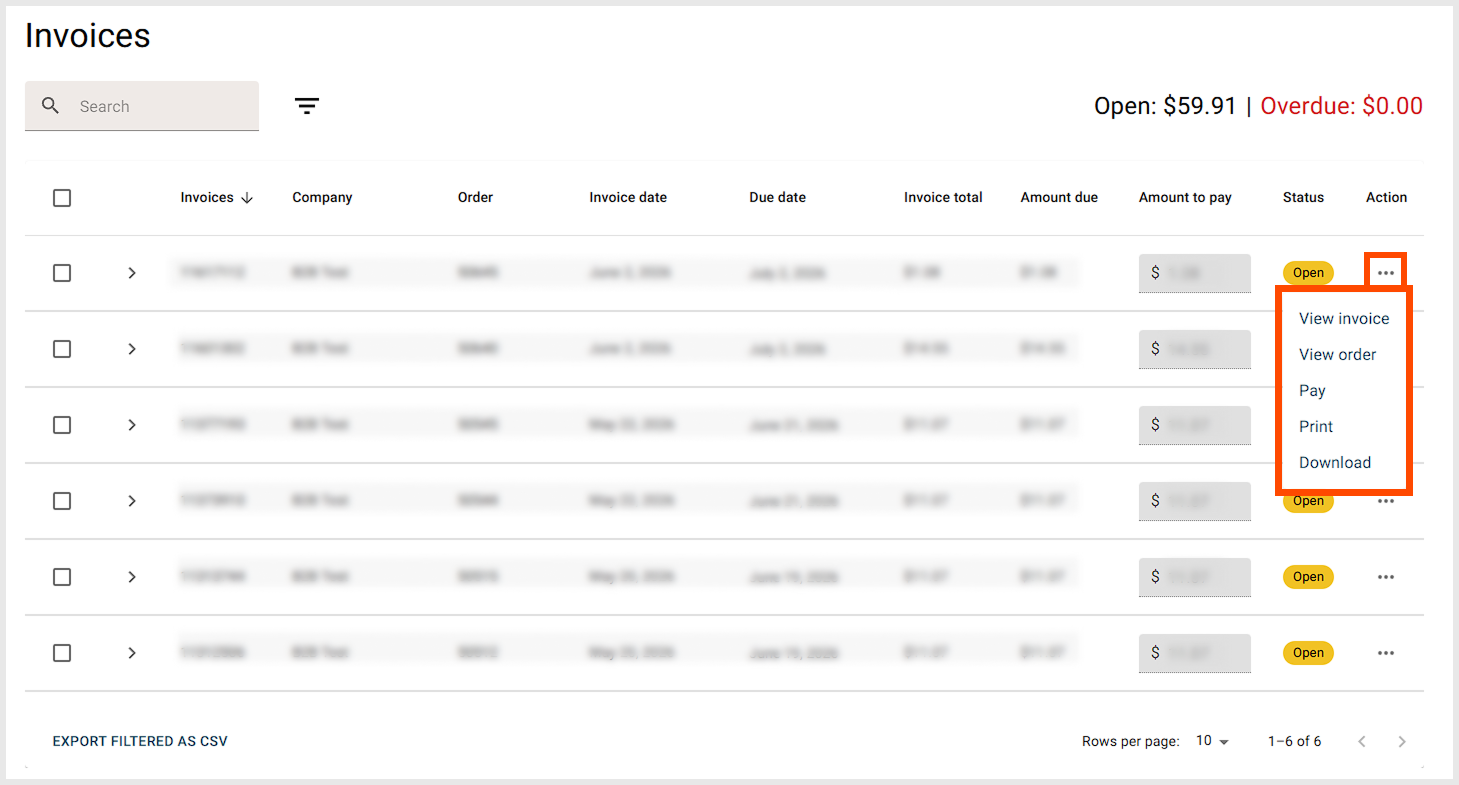
After your order has been placed, an invoice will be issued separately and made available in your B2B Buyer Portal.
To pay your invoice:
- Log in to your B2B account.
- Navigate to Invoices.
- Select the relevant invoice.
- Complete payment using one of the available payment methods.
Available payment methods may include Stripe, PayPal, bank transfer, or other options available to your account.
Payment Due Date
Invoices must be paid according to the payment terms approved for your account (for example, Net 30 or Net 60).
Need Assistance?
If you have questions about your payment terms, invoice payments, or would like to apply for Net Payment Terms, please contact our sales team at sales@heatso.com.
Was this article helpful?
That’s Great!
Thank you for your feedback
Sorry! We couldn't be helpful
Thank you for your feedback
Feedback sent
We appreciate your effort and will try to fix the article