Managing Users and Roles
Your Heatso B2B account allows your company to manage multiple users with different access levels and purchasing permissions. This helps teams organize purchasing workflows, approvals, and account management securely.
Available Roles
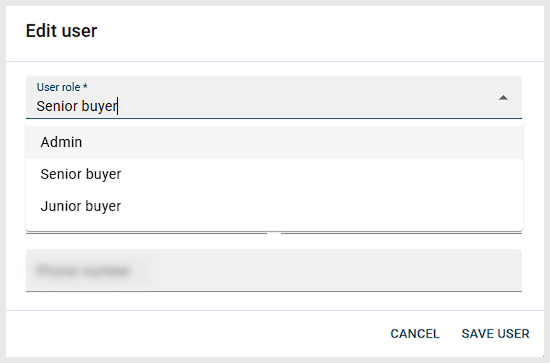
Heatso B2B uses role-based access provided by BigCommerce B2B Edition. By default, there are three standard buyer roles:
- Junior Buyer - can create shopping lists or requests for approval
- Senior Buyer - can place orders and approve purchases
- Admin - full access to users, orders, addresses, and company settings
Adding a New User
- Log in to your B2B account
- Open User management
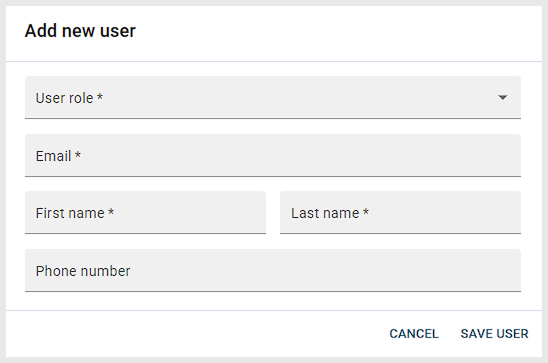
- Click Add New User
- Enter the user details and assign a role
- Save changes
The user will receive an email invitation to activate their account.
Editing User Permissions
Admins can update roles and permissions anytime:
- Open User management
- Click the Edit icon in the bottom-right corner of the user card
- Change the role
- Save changes
Removing a User
- Open User Management
- Click the Delete icon in the bottom-right corner of the user card
- Confirm the removal
Was this article helpful?
That’s Great!
Thank you for your feedback
Sorry! We couldn't be helpful
Thank you for your feedback
Feedback sent
We appreciate your effort and will try to fix the article