Company Profile Setup
After logging in to your Heatso B2B account, please review and update your company information. This information is used for orders, shipping, invoices, and account communication.
Update Your Company Details
- Log in to your B2B account
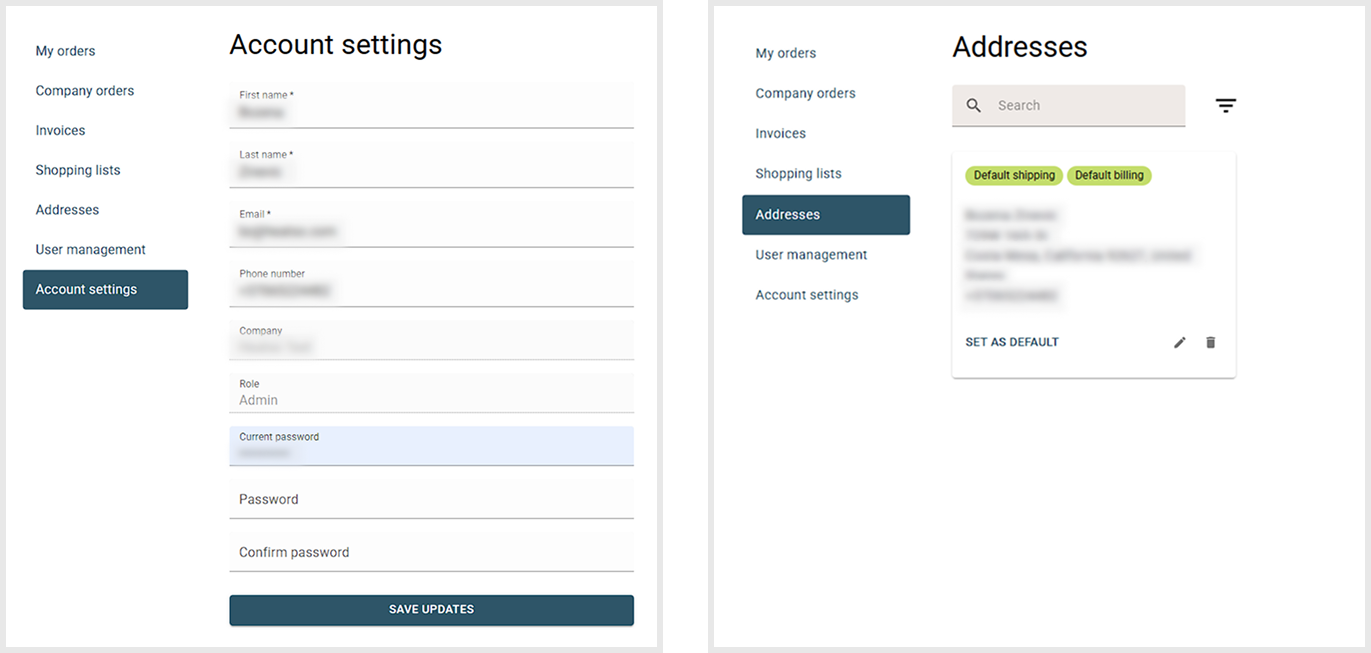
- Open Addresses to review and update:
- Billing Address
- Shipping Address
- Open Account Settings to review and update:
- Contact Details
Why This Matters
Keeping your company information up to date helps ensure accurate invoicing, smooth order processing, and successful delivery.
Need to Make Changes Later?
You can update your addresses and contact information at any time from your account settings.
Was this article helpful?
That’s Great!
Thank you for your feedback
Sorry! We couldn't be helpful
Thank you for your feedback
Feedback sent
We appreciate your effort and will try to fix the article