Tax Exemption Certificate
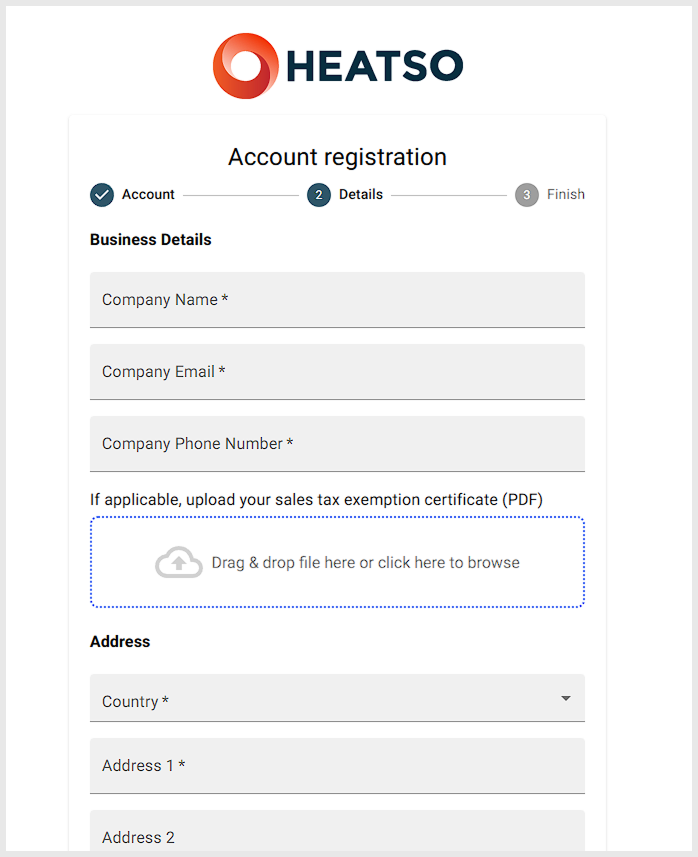
If your business qualifies for tax exemption, you can provide a valid Tax Exemption Certificate during account registration or when upgrading an existing customer account to a B2B account.
Please note that submitting a Tax Exemption Certificate is optional and is not required to complete your registration.
How to Submit Your Certificate
You can provide your Tax Exemption Certificate in one of the following ways:
- Upload it during B2B account registration.
- Send it directly to your assigned Sales Manager.
- Email it to sales@heatso.com.
Our team will review the document and update your account if applicable.
Updating or Replacing a Certificate
Tax Exemption Certificates cannot currently be viewed, updated, or replaced through your online account.
If you need to submit a new certificate, update an existing one, or verify the certificate on file, please contact Heatso directly. Our team will assist you with the update.
Need Assistance?
If you have any questions about Tax Exemption Certificates or your account's tax status, please contact your Sales Manager or email sales@heatso.com.
Was this article helpful?
That’s Great!
Thank you for your feedback
Sorry! We couldn't be helpful
Thank you for your feedback
Feedback sent
We appreciate your effort and will try to fix the article