Reordering Products
Reordering products through your Heatso B2B account is fast and convenient.
How to Reorder
- Log in to your Heatso B2B account
- Open My Orders or Company Orders
- Select a previous order
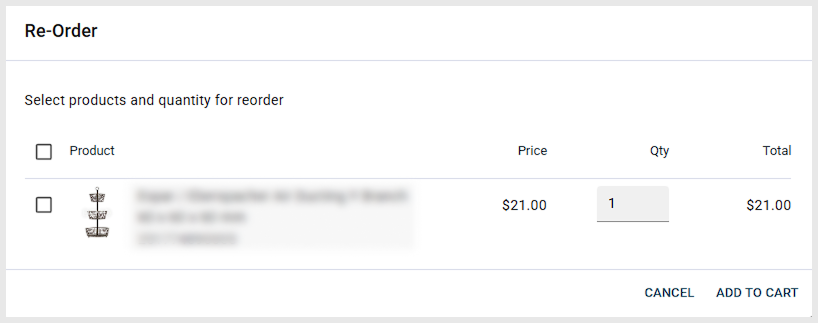
- Click Reorder to add the same items to your cart
- Review quantities and proceed to checkout
You can update quantities or add additional products before placing the new order.
Helpful Tip
Using the reorder function helps save time when purchasing the same products regularly.
Was this article helpful?
That’s Great!
Thank you for your feedback
Sorry! We couldn't be helpful
Thank you for your feedback
Feedback sent
We appreciate your effort and will try to fix the article